What is recurring billing for landscapers?
Recurring billing is a plan you set up once against a client that bills them on a schedule you choose, without you writing an invoice each time. In landscaping that usually means a maintenance contract: same client, same price, every week or every month through the season, billed on its own while you are out cutting.
The reason it matters more here than in most trades is the volume of small repeats. A remodeler sends four big invoices a year. You service forty properties every seven days. That is roughly 160 invoices a month if you write each visit by hand, and every one of them is the same three lines you wrote last week.
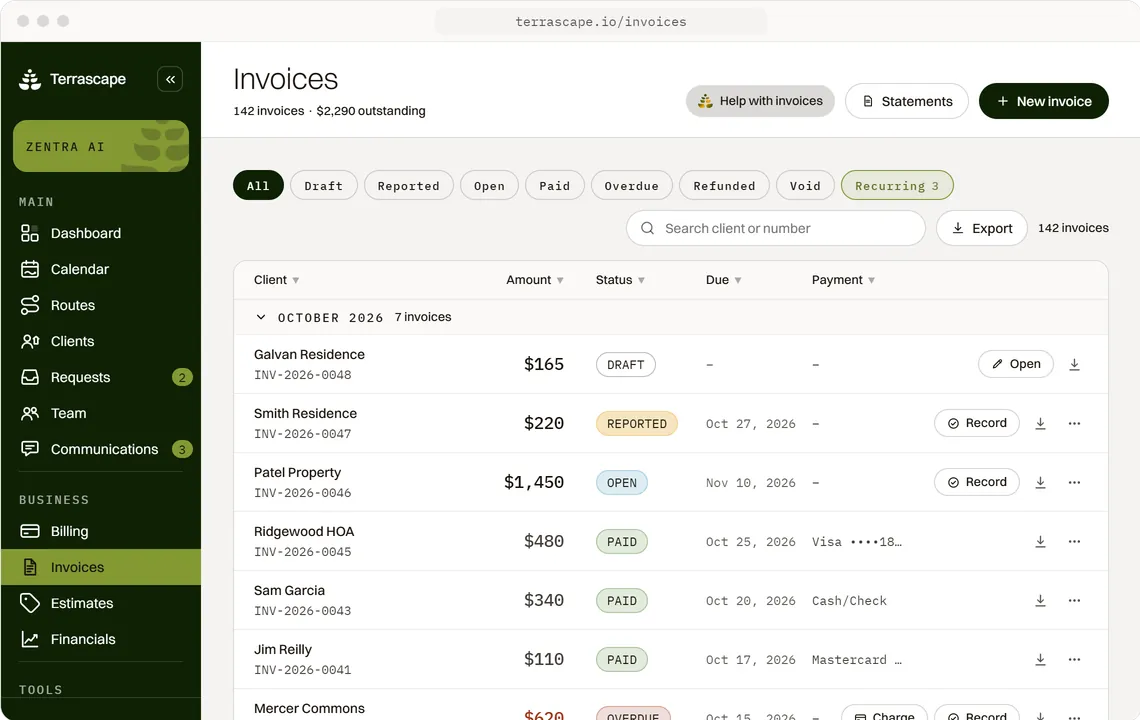
In Terrascape a plan starts as an invoice. You build the invoice the way you normally would, with the client, the line items from your saved price list and the terms, then switch on Repeat and it becomes a plan instead of a one-off. Same lines, on a schedule. There is nothing separate to learn and no second place to keep your prices.
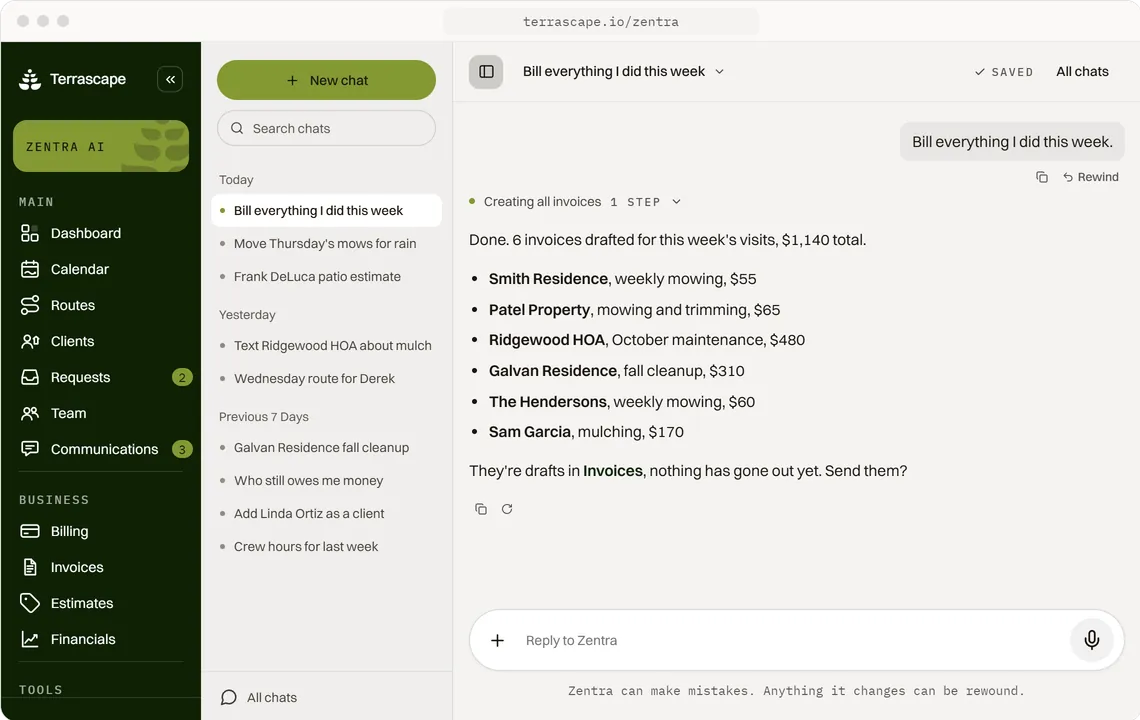
Here's the difference that matters. Zentra, the AI that runs the office side, is not an autopilot quietly signing your clients up to plans. You command it and it confirms before it acts. You decide what recurs and at what price. What goes away is the typing.
One thing to know before you start: creating and sending invoices runs on a connected payment provider, and recurring plans specifically require Stripe. QuickBooks Online handles one-off invoices, estimates and two-way accounting sync, but recurring plans are on the Stripe path only. You connect on the billing page.
How often can a recurring plan bill?
Weekly, every two weeks, monthly, every three months, every six months, or yearly. If none of those fit there is a custom option where you set the number of weeks, months or years yourself.
Six presets cover almost every maintenance agreement in this trade. Here is how they get used:
- Weekly. The mow route. Bills every seven days for as long as the season runs.
- Every 2 weeks. Biweekly cuts, and the shoulder-season schedule a lot of crews drop to in August.
- Monthly. The most common maintenance contract shape, where the client pays one flat number and you decide how many visits that covers.
- Every 3 months. Quarterly treatment programs and bed refresh rounds.
- Every 6 months and Yearly. Annual service agreements, and the pre-pay clients who would rather write one check.
- Custom. Every N weeks, months or years, for the agreements that do not sit on a round number.
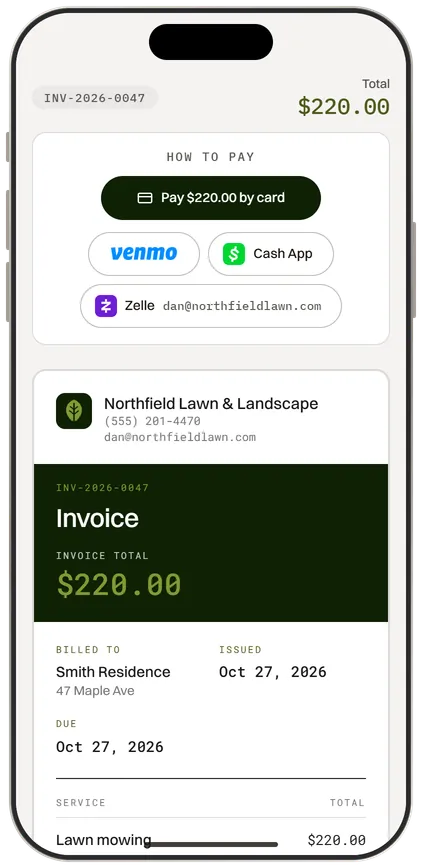
You also choose how the invoice reaches them. Online payment link sends something they can pay by card or ACH from their phone. PDF invoice sends the document with no payment link, which is what you want for the commercial accounts that pay everything through their own accounts payable run.
Payment terms sit on the plan too: due on receipt, Net 7, Net 14, or Net 30. Commercial property managers will usually tell you which one they need. For residential, due on receipt is the one that gets you paid this week instead of next month.
How do you stop a plan billing over the winter without cancelling it?
You set the plan to bill only some months and pick the range. Outside those months nothing is billed, and it picks back up on its own when the season comes round again. You do not cancel it in November and rebuild it in April.
This is the feature on this page that most billing tools do not have, and it is the one that costs landscapers the most when it is missing. A maintenance plan that bills all twelve months is wrong for almost everybody in this trade. So what happens instead is one of two bad options: you cancel every plan at the end of the season and rebuild forty of them in spring, or you leave them running and spend December issuing credits to clients who got billed for a mow that never happened.
How the season range works:
- Pick a From month and a To month. March to November for a cool-climate mow route. April to October if you shut down earlier.
- The range is allowed to wrap. A snow contract that runs November to March is a valid season, not an error. The plan understands the year turning over.
- Nothing bills in the off months. Not a zero invoice, not a held invoice. Nothing goes out.
- It restarts itself. When the first month of the season arrives the plan starts billing again without you going back in to switch it on.
That is the difference between a spring that starts with a route and a spring that starts with an evening of data entry. If you would rather stop a plan by hand you still can: any plan can be paused at any time, which stops new invoices until you resume it, and either action is one tap.
The snow removal page covers the seasonal side for winter work specifically, where the wrap-around season is the normal case rather than the exception.
How does a plan handle the route stops it already covers?
You mark the plan as covering their route visits, and those stops stop asking for a price and stop appearing in the list of work waiting to be invoiced. The visit still happens, still gets scheduled, still gets photographed. It just is not billed twice.
This is the part that trips people up on flat-rate maintenance contracts. A client on a $240 a month plan still gets four mows. Those four jobs land on your calendar like any other work, and in most systems each one sits there afterwards looking unbilled, because the software has no idea the money already came in through a different door. Then somebody on your team, or you at 9 PM, invoices one of them by mistake.
What the toggle actually changes:
- The stops do not need a price. A job under a covering plan is not carrying a dollar figure of its own, because the plan is the price.
- They do not show up as waiting to be invoiced. Your unbilled work list becomes the extras and the one-off jobs, which is the list you actually need to look at.
- The scheduling side is untouched. Recurring jobs on the calendar repeat weekly, every two weeks or monthly, independent of how the billing runs. A plan can bill monthly while the visits run weekly, which is exactly how most maintenance contracts are written.
Here's the math on why this matters. Forty maintenance clients, four visits a month each, is 160 stops that would otherwise sit in an unbilled queue every month. If sorting real unbilled work from plan-covered work costs you even an hour a week, at the industry-conservative $65 an hour crew rate that is $260 a month, or $3,120 across a year, spent reconciling a list against your own contracts.
The scheduling app page covers how recurring jobs sit on the calendar, and the job costing page covers reading profit on work that bills as a plan rather than per visit.
What happens when a client wants to change or stop a plan?
You pause it, resume it, cancel it immediately, or cancel it at the end of the period they have already paid for. All four are on the plan itself.
Maintenance clients change their minds constantly. They sell the house, they go away for two months, they want to drop to biweekly, they want to skip the second half of August. A billing setup that can only be created and destroyed turns every one of those conversations into a rebuild.
The four things you can do to a running plan:
- Pause. No new invoices go out until you resume it. This is the right move for the client who is travelling, or the account that is disputing something you have not sorted out yet.
- Resume. Picks up where it left off.
- Cancel at period end. They keep what they have already paid for and it stops cleanly at the end of the cycle. This is the honest default for a client who is leaving on good terms.
- Cancel immediately. For when it needs to stop today.
Plans carry a status you can filter on, so you can look at just the active ones, just the paused, just the cancelled, or the drafts you have not sent yet. A plan whose payment has failed shows as past due rather than quietly disappearing, which is how you find out that a card expired before you have driven the route four more times for free.
One honest note. There is no client-facing portal where your customers manage their own plan, change their own card or download their own history. That is not built. Everything on this page is run by you, from your side, which is a real limitation if you are used to sending customers somewhere to self-serve. On the Stripe path the card is held by Stripe and can be charged in one tap from your end.
What does recurring billing replace?
It replaces the calendar reminder and the duplicate-last-month's-invoice habit. That is what almost every crew under fifteen people is actually doing, and it works right up until the month you are busy, which is every month between April and October.
Here's the math on the manual version. Forty maintenance clients invoiced by hand each month, at five minutes each to open last month's invoice, duplicate it, check the client, check the amount and send it, is 200 minutes, or 3.3 hours a month. At $65 an hour that is $217 a month, or $2,604 a year, to retype numbers that have not changed. That is before the ones you forget. Small businesses spend 10 to 15 hours a month on billing and bookkeeping according to widely cited small-business data, and recurring work is the part of that which should not need a human at all.
The comparison that actually matters:
| Calendar reminder and duplicate | Recurring plan | |
|---|---|---|
| Monthly effort for 40 clients | About 3.3 hours | None once it is set |
| An invoice you forget to send | Revenue you never collect | Cannot happen |
| Off-season | Cancel and rebuild every plan | Season range handles it |
| Price change | Edit forty invoices | Edit the plan |
| Route stops already covered | Sit in the unbilled list | Marked as covered |
Most field-service tools do have recurring invoicing, so this is not a feature nobody else has. What is different here is the shape of it: the season range, and the link between a plan and the route stops it covers. Both of those exist because this was built for landscaping rather than adapted to it. It is also worth saying plainly that most of those tools price per user from the first seat, so the cost of putting your whole crew in grows with the crew. This one does not.
For the work that is not on a plan, the late payment reminders page covers the follow-up side and the payment processing page covers card and ACH setup end to end. Stripe's own subscription documentation covers the billing engine underneath if you want to read how the plumbing works.
What does Terrascape cost, and does recurring billing cost extra?
$49.99 a month after a 7-day free trial, with unlimited employees, no tiers and no feature locks. Recurring billing is in it. There is no billing add-on and no upgrade to reach it.
You can cancel anytime. There is no contract and no cancellation fee.
The two costs outside the subscription are both usage-based. Card payments carry a 0.75% platform fee on top of standard Stripe processing, and that platform fee is waived when you connect QuickBooks Online. Texting and email to your clients are included free.
Here's the comparison worth making on this page specifically. Recurring billing is the feature most field-service tools put behind their middle or upper tier, alongside automated follow-ups and two-way texting. The pattern in this market is that the plan you actually need is rarely the plan on the front of the pricing page. Here there is one plan, and the recurring plans, the seasonal ranges, the texting, the routing, the job costing and Zentra are all inside it.
Every account also gets a 30-minute setup call where the team at Terrascape imports your client list and gets Zentra running, which is the fastest way to turn an existing book of maintenance clients into plans without an evening of setup. Managing cash flow is the part of a small business that recurring revenue makes predictable, and predictable is what lets you plan a truck payment.